WhatsApp TDL for TallyPrime Free Download & Setup Tutorial
Are you looking for a way to send invoices, receipts, and account ledgers from TallyPrime to WhatsApp? Download our WhatsApp TDL for TallyPrime free trial and start sending document PDFs directly to your customers in under 5 minutes. No coding required, no complex Meta API setup.
Why Use a WhatsApp TDL for TallyPrime?
TallyPrime is the backbone of Indian accounting. However, emailing invoices or manually exporting PDFs to send on WhatsApp Web is tedious. A dedicated WhatsApp TDL (Tally Definition Language) add-on solves this by integrating a one-click "Send WhatsApp" button directly inside the TallyPrime voucher form.
Our solution hooks into TallyPrime's save event. The moment you save a Sales, Receipt, or Payment voucher, it prompts you to confirm and automatically sends the PDF.
What You Get with the Free Download
Our installer includes a 3-day fully-featured free trial so you can verify the setup before purchasing a license key. You will get access to:
- Standard TDL files (for Sales, Receipt, Payment, Credit/Debit Notes, and Ledger statements).
- One-Click MSI Installer that handles the local Windows service and COM DLL registration automatically.
- Custom captions template where you can format messages in English, Hindi, or local languages.
Step-by-Step Installation Tutorial
-
Download the Setup Package:
Click the download link on our home page to download the latest
TallyWhatsApp.msiinstaller file. -
Install the Software:
Double-click the MSI file and run the wizard. If Windows SmartScreen warning pops up, click "More info" followed by "Run anyway". This sets up the local COM DLL pipeline.
-
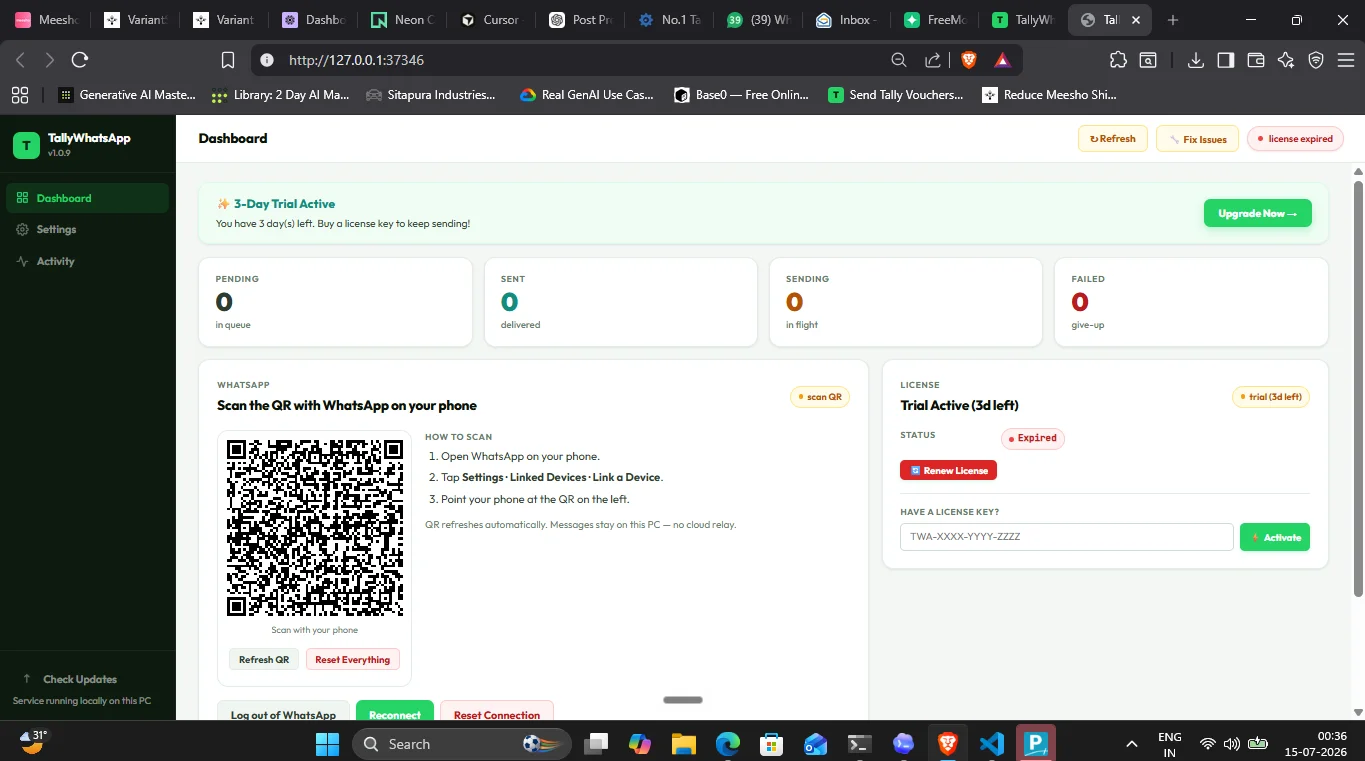
Link Your WhatsApp Account:
Open the TallyWhatsApp dashboard, go to the WhatsApp tab, and scan the QR code using your phone's WhatsApp Web scanner.
-
Load TDL in TallyPrime:
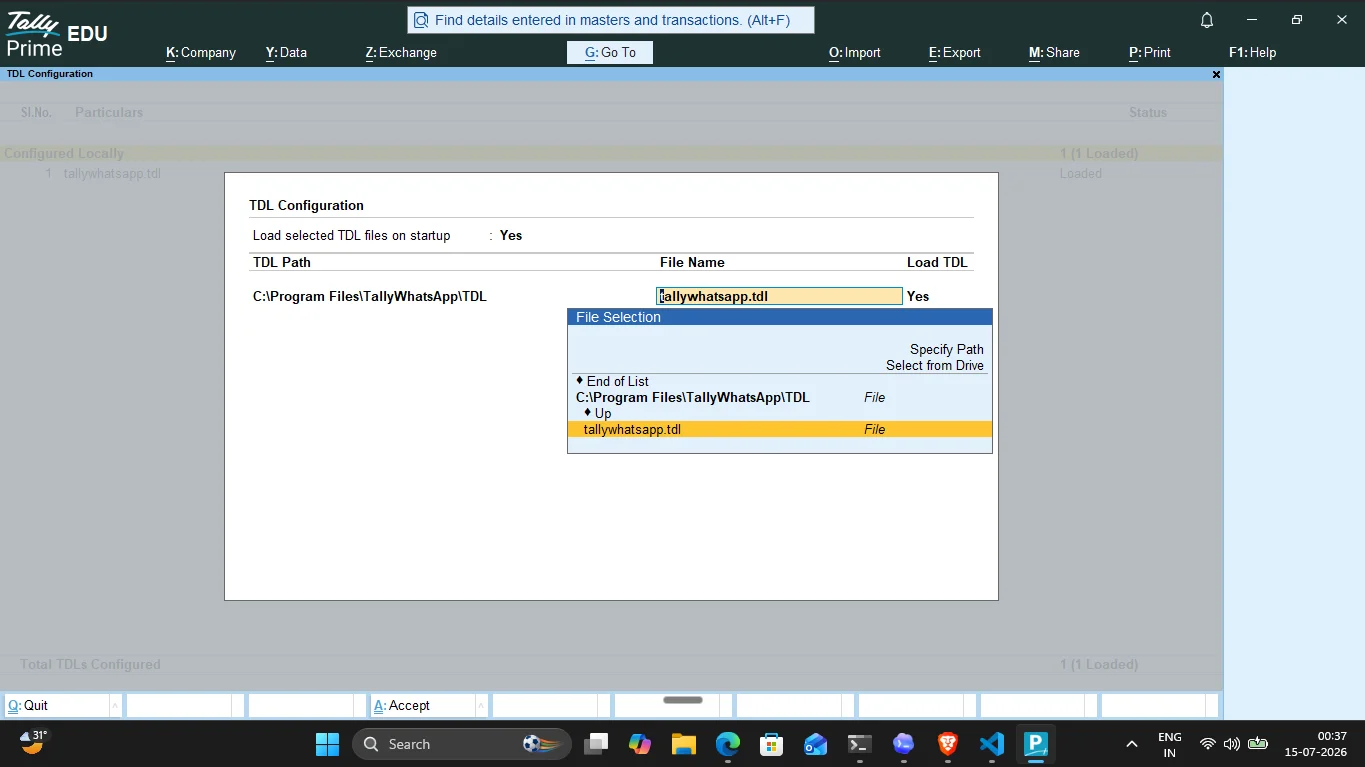
Open TallyPrime, press F1 (Help) > TDLs & Add-Ons > F4 (Manage Local TDLs). Load the
_loader.tdlfile provided in your installation directory. -
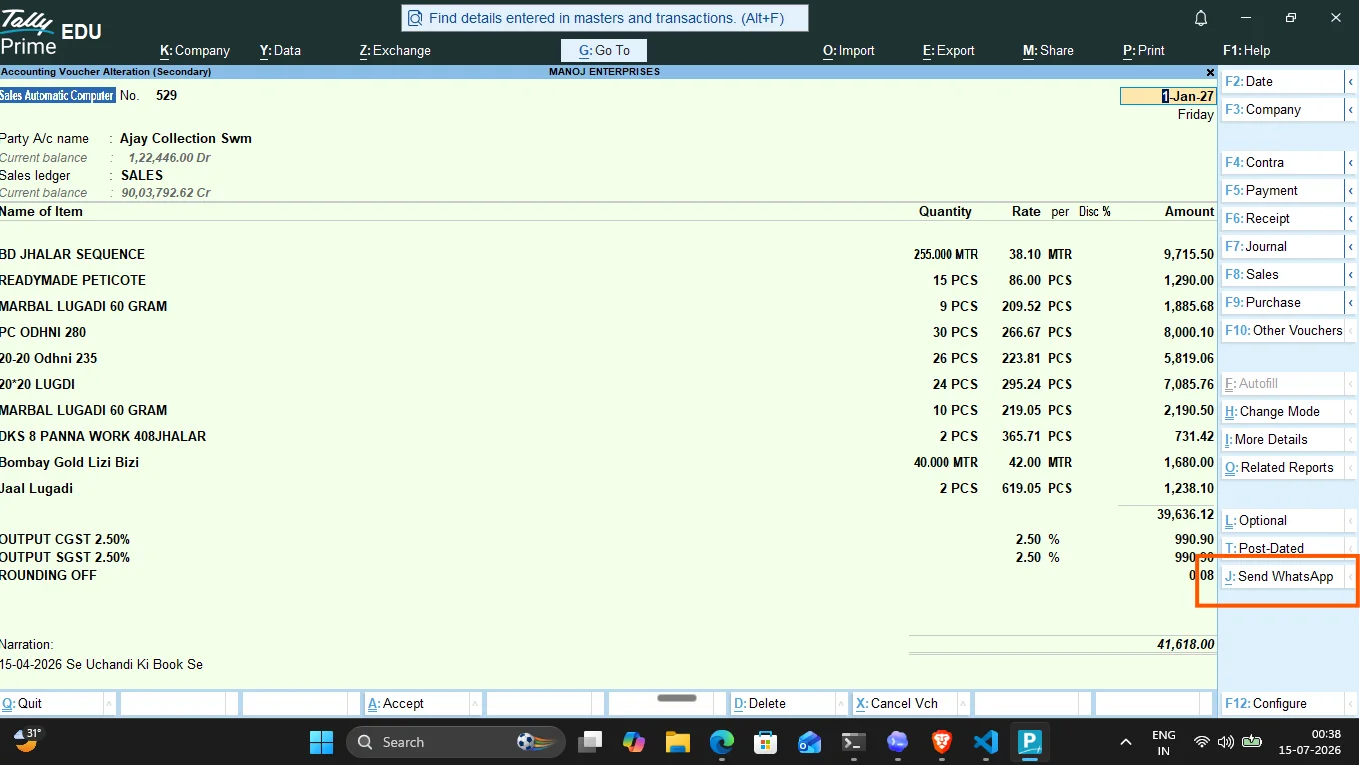
Send Your First Voucher:
Open a Sales Invoice, click Send WhatsApp (or press Alt+J), and see the customer receive the invoice PDF instantly.
Product Safety and Restrictions
Our yearly license is priced at an affordable ₹999/year. Please note that the license is bound to a single computer system (Single-User). If you need to manage multiple billing counters or work in a multi-user environment, stay tuned as we will soon launch our LAN-friendly multi-user system.
Ready to try it out?
Download the official TallyWhatsApp installer and start your 3-day free trial. Setup takes less than 5 minutes.
Download WhatsApp TDL Trial